Commisioning Procedure
CleanCab Installation App Procedure
Commissioning procedure following system installation
Before You Begin
Install the Cleancab App use QR codes on the last page
Ensure the HEPA filter certificate is available.
Record the Donaldson filter part number: P958647.
Record the recirculation filter part number and serial number if a HEPA filter is installed.
Take note of the cabin pressure at 100% fan speed
Hint: Use this time to check for CO₂ gain. Sit in the cabin while entering the commissioning details, with the door closed, the machine running, and the HVAC system set to fan speed 2. Record the CO₂ levels. If the CO₂ alarm activates, follow the CO₂ gain test and fault procedure.
Connect to the CleanCab App
Connect to the system and open the CleanCab app.
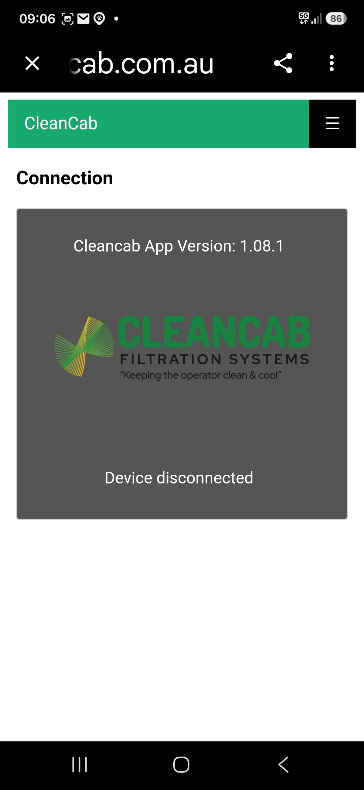
Standard APP front page
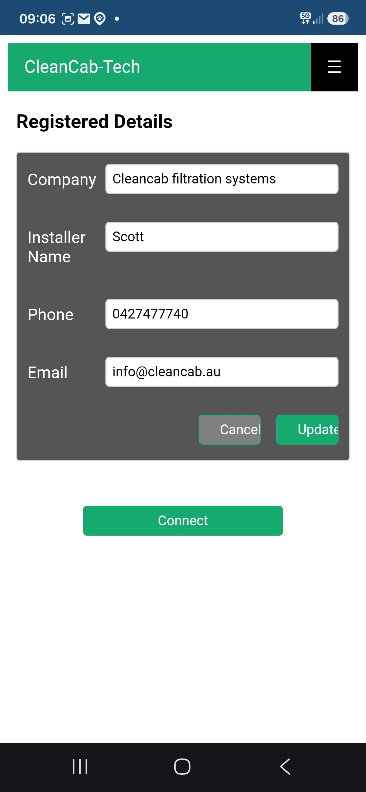
Tech APP front page
Commissioning Details
Open the commissioning page by selecting the three-line menu icon in the top right-hand corner of the screen. Enter the required commissioning details. If using the CleanCab Tech App, technician details will be completed automatically.
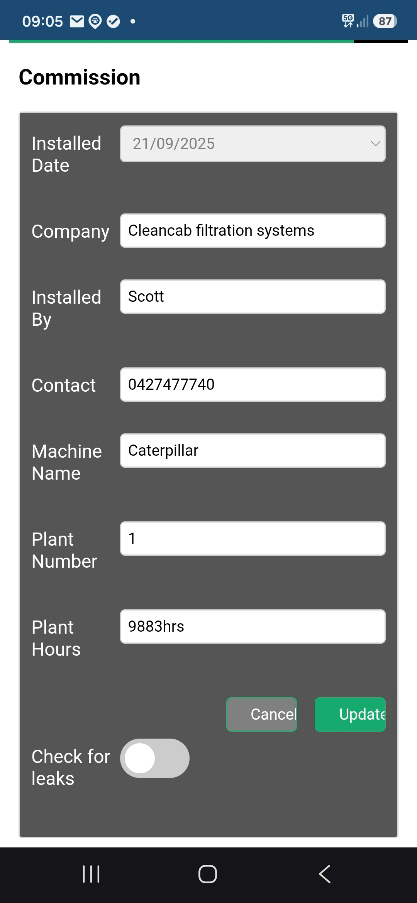
Commissioning page example
Filter Details
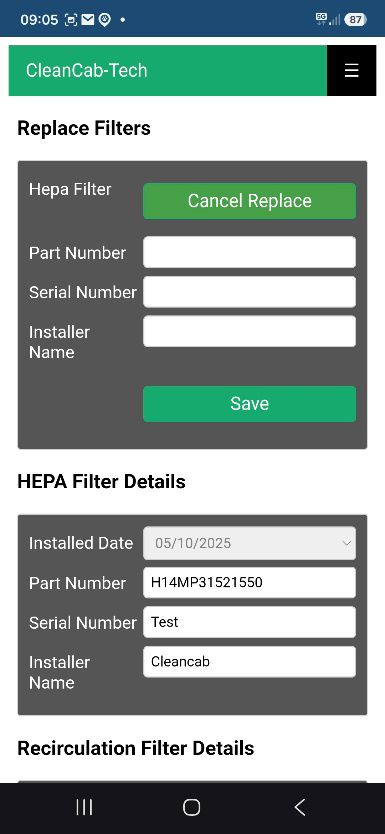
Open the Filter Details menu by selecting the three-line menu icon in the top right-hand corner of the screen. Select Replace for each filter, enter the associated filter details, and then save.
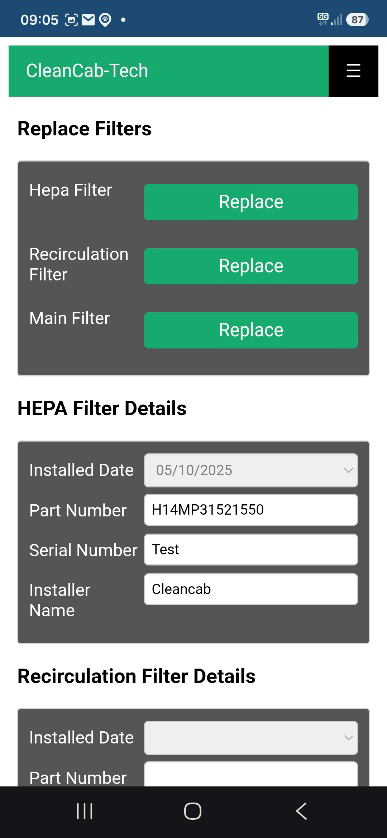
Reset Calibration Date to Match Installation Date
This procedure is optional but recommended. It matches the calibration date and information shown on the monitor info button to the installer details entered on the CleanCab Tech App front page.
To carry out this procedure, have the machine running and the door open so the pressure reads zero. Ensure there is no wind blowing into the cabin, as this may cause a false reading. Open the CleanCab Tech App, go to the login page, enter the password, and then open the Calibrate page using the three-line navigation menu. Select Start, go to the pressure sensor section, select Real Pressure, set it to zero using your device keyboard, and then select Finish. If the calibration has been completed correctly, your contact information will show on the monitor info screen. Note do not change the CO2 calibration as it is not required unless the CO2 reading is incorrect.
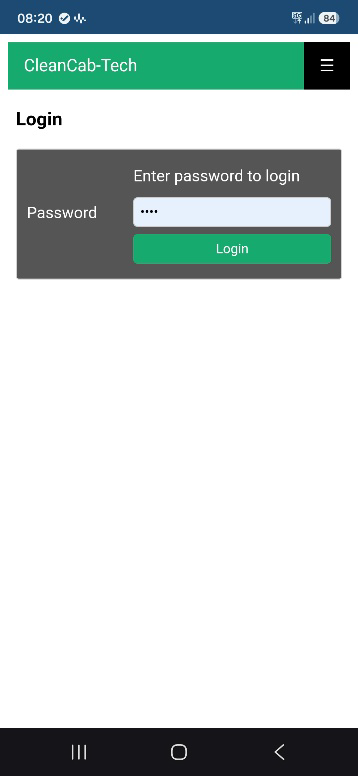
Login page
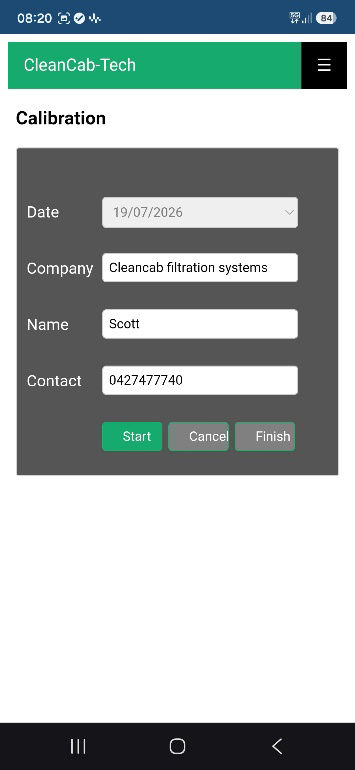
Calibrate page
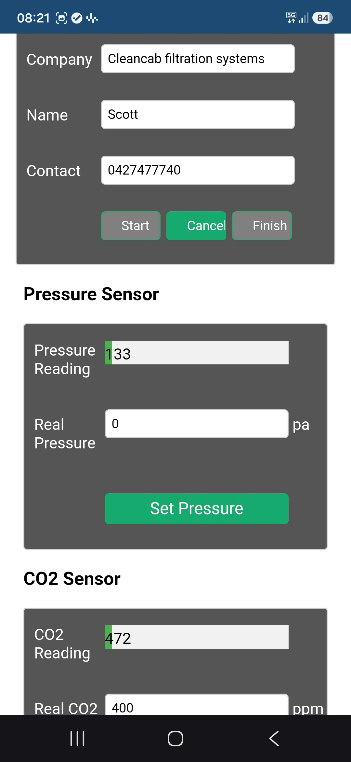
Calibrate information
Report Details
Open the Report page by selecting the three-line menu icon in the top right-hand corner of the screen, then selecting Report. Enter the customer details and test pressure. The test pressure is the maximum pressure achieved with the fan speed set to 100%. The report can also be named and downloaded for both the installer and customer’s reference.
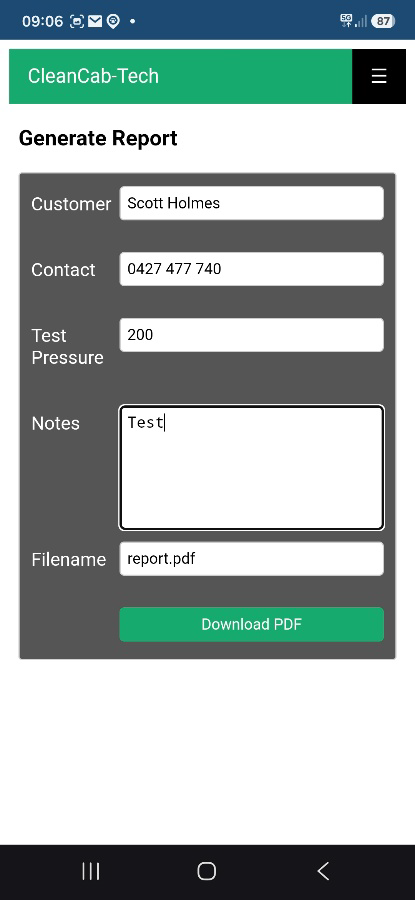
Report page
Note: The report feature is only available in the CleanCab Tech App.
Apple device limitation: Reports cannot be downloaded directly on Apple devices. Use an Android device or a Windows laptop with the Google Chrome browser to download the report.

Cleancab Play store App

Cleancab tech App
NOTE: it is best to download both APPs. The Cleancab play store APP can work without internet connection, but the Cleancab Tech APP requires internet connection.
Apple users use the Cleancab Tech app you are also will need to use BLUEFY browser for it to work see the Cleancab App instructions on the next page
CLEANCAB APP INSTALLATION GUIDE
ANDROID DEVICE INSTRUCTIONS
1. Use the 2 QR codes from the previous page or use: https://app.cleancab.com.au/ or
https://tech-app.cleancab.com.au/
3. Use the dropdown menu in Chrome to “Add to Home Screen” or “Install App”
4. Once installed, internet access is not required for operation except for the Cleancab Tech App
5. fill in the registered details when using the Tech App
APPLE DEVICE INSTRUCTIONS
1. Download and install the Bluefy App from the Apple App Store
2. Open the Bluefy App
3. Copy and paste the CleanCab URL: https://app.cleancab.com.au/ or https://tech-app.cleancab.com.au/
4. Allow access to Bluetooth when asked
5. Important: Apple devices require an internet connection for the app to function.
Contact Cleancab for more information on 0427477740 or lookup App information sheet on the Cleancab Website under for the operators.